In short
Daybard is a native Mac and iPhone calendar (Day, Week, Month and Agenda views, natural-language quick add, shareable openings) with a game layer on top: every event becomes a quest, and wrapping up your day earns XP, gold and loot. Productive by day, playful at night.
A regular calendar tells you what you have to do. A gamified calendar also gives you a reason to open it with some pleasure. Daybard starts from a real calendar, not a gimmick, and adds RPG progression that makes busy days easier to face, with no extra work.
A real calendar first
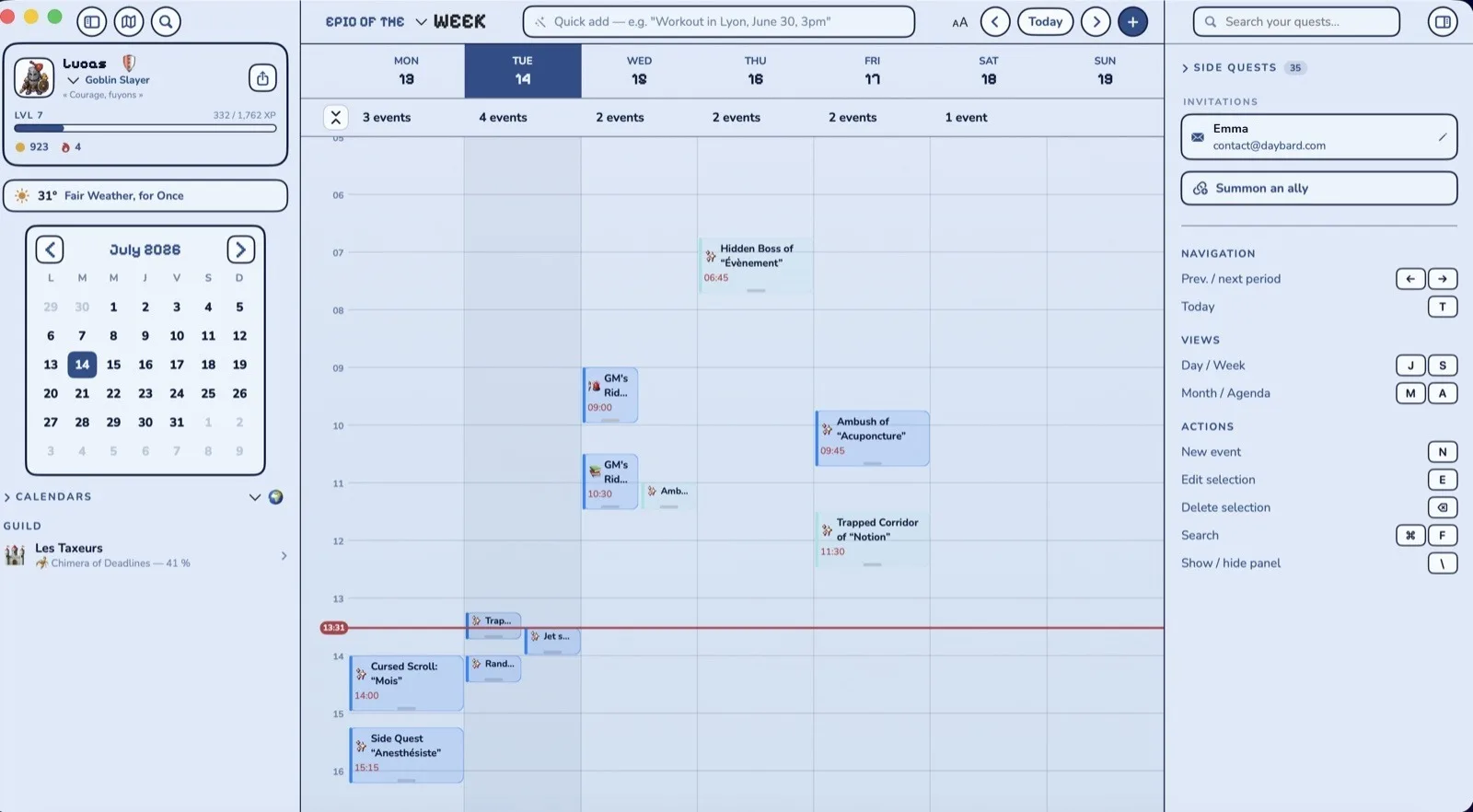
Before it's a game, Daybard has to be a good calendar, or nobody keeps it. On Mac you get:
- Four views: Day as an hourly timeline, Week, Month, and a continuously scrolling Agenda, with keyboard shortcuts for every view, new events and search.
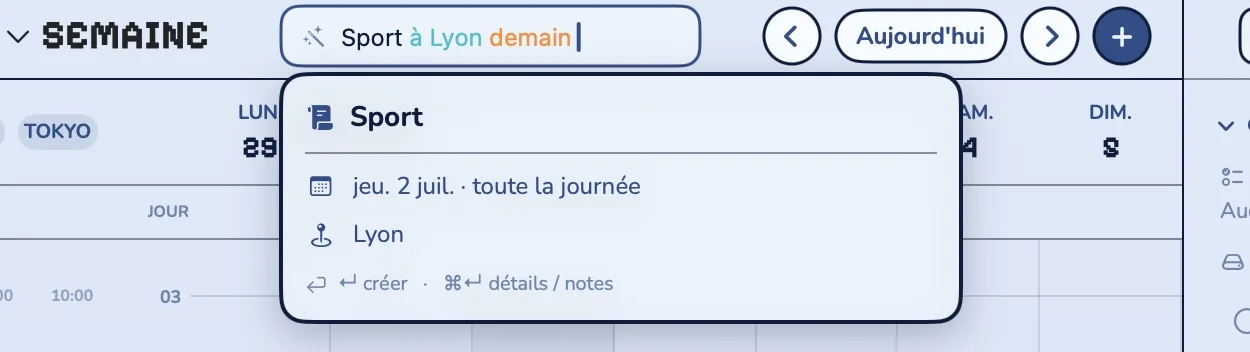
- Natural-language quick add: "team sync Thursday 2pm every 2 weeks" is created on its own, recurrence included, with a preview before you confirm.
- Shareable openings: your availability in a link. The guest books, the app creates the event. Buffers, working days and booking horizon are adjustable.
- Factions: a "Home" / "Work" toggle to show only the right calendars.
- The small things that matter: side-by-side time zones, video links detected automatically, today's weather.
Your existing calendars, nothing to recreate
Daybard reads the calendars already on your Mac and iPhone: iCloud, plus any account added in your system settings (Google, Exchange…). Your reminders too. You don't import anything or change habits: add an event somewhere else and it shows up in Daybard.
If you juggle several tools, there are remote integrations as well: Google Calendar, Todoist, Notion, Linear. They go through Daybard's server, only if you turn them on. One remote integration is free; more than one needs Daybard Pro.
Then the game layer
This is where "gamified" earns its name, without changing how you work:
- Your events get quest titles and face a matching threat: the Saturday grocery run becomes a weekly raid against a grocery-cart goblin.
- Wrapping up your day raises your level, your streak and your gold. Gold buys gear at the shop for your hero (three slots, matching sets).
- At night, on iPhone, you replay your day as chapters with a boss of the day, and each week a Nemesis waits in a turn-based fight.
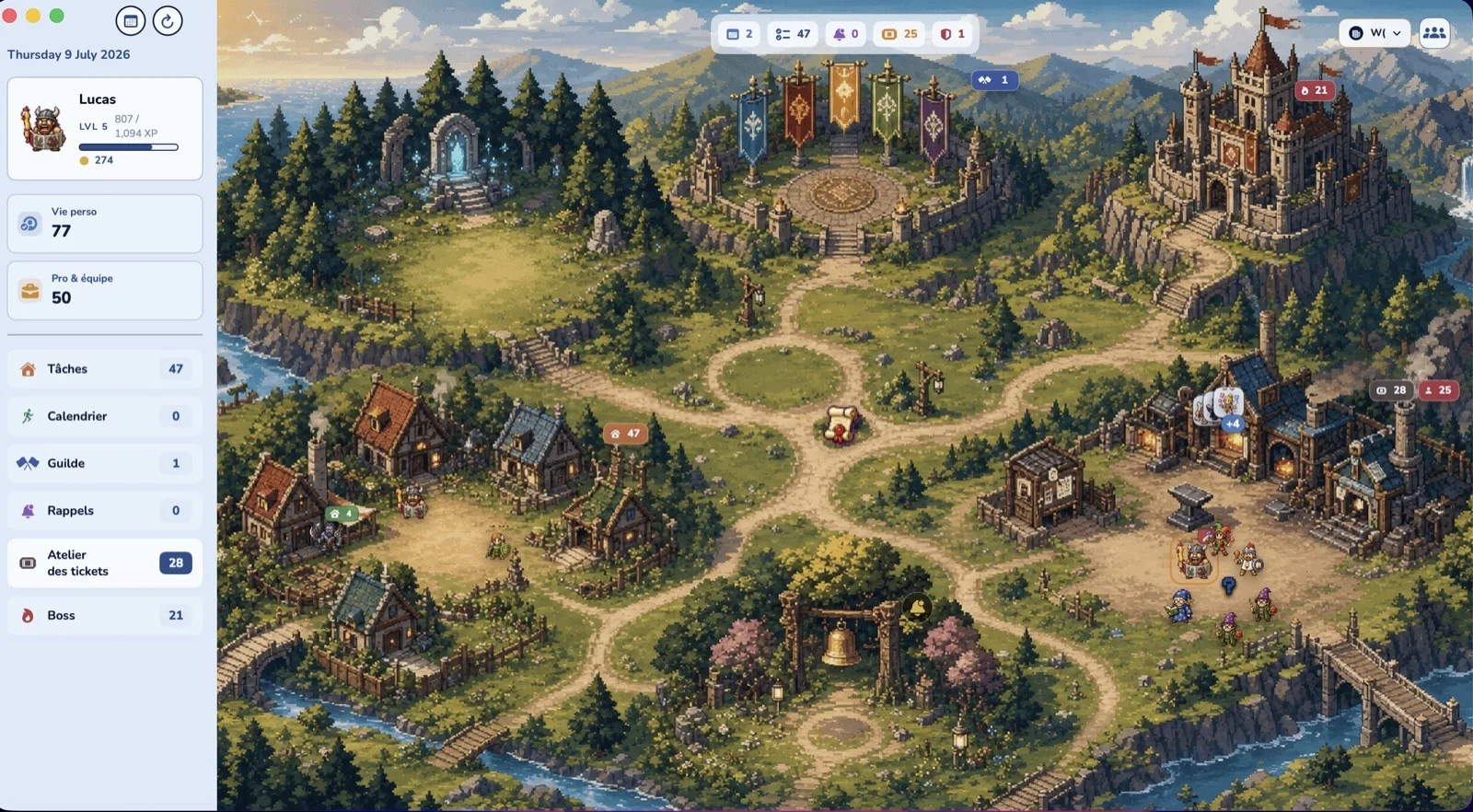
- On Mac, the Kingdom view lays your calendar, tasks and guild over a pixel-art village that grows with your days.
Who it's for
I built Daybard for overflowing calendars: meetings, deadlines, calls, and family life all in the same place. Parents whose days are full and who feel, at night, that none of it counted. People who've tried everything (to-do lists, planners, trackers) and ended up guilt-tripped by every app. And people who live across several tools, Google Calendar, Outlook, Todoist, Notion, Linear, and want it all in one place.
If your calendar holds three events a month, Daybard won't have much to work with, and a plain calendar will do. The busier your week, the more the game layer makes sense: it's precisely when everything piles up that a small reward at night helps.
Why gamify your calendar rather than your to-do list
Most gamified apps start from a task list you fill in yourself. That works as long as you have the energy to keep it up. A calendar has an edge: it's already full, with work, school, doctor's appointments. Gamifying what already exists is a game that asks nothing more of you. And since no path is punished at night, the app doesn't lecture you on the days everything overflowed.
Set up your gamified calendar in 4 steps
- Download Daybard on Mac (macOS 14+, Apple Silicon and Intel) from this site, and on iPhone (iOS 17+) from the App Store.
- Allow calendar access and, if you like, reminders. Your existing calendars show up right away.
- Add things in plain language. Quick add understands "workout in Lyon tomorrow 6pm" and creates the event.
- Wrap up your day at night on iPhone. Your hero syncs to the Mac via iCloud.
What Daybard doesn't do
- No Android, no Windows, no web version. It's a native Apple app.
- No AI auto-scheduling of your tasks into your day.
- No evening replay on Mac: it's iPhone-only.
Install the calendar that rewards you
Free download, no account. Start on Mac, carry on on iPhone.