The idea
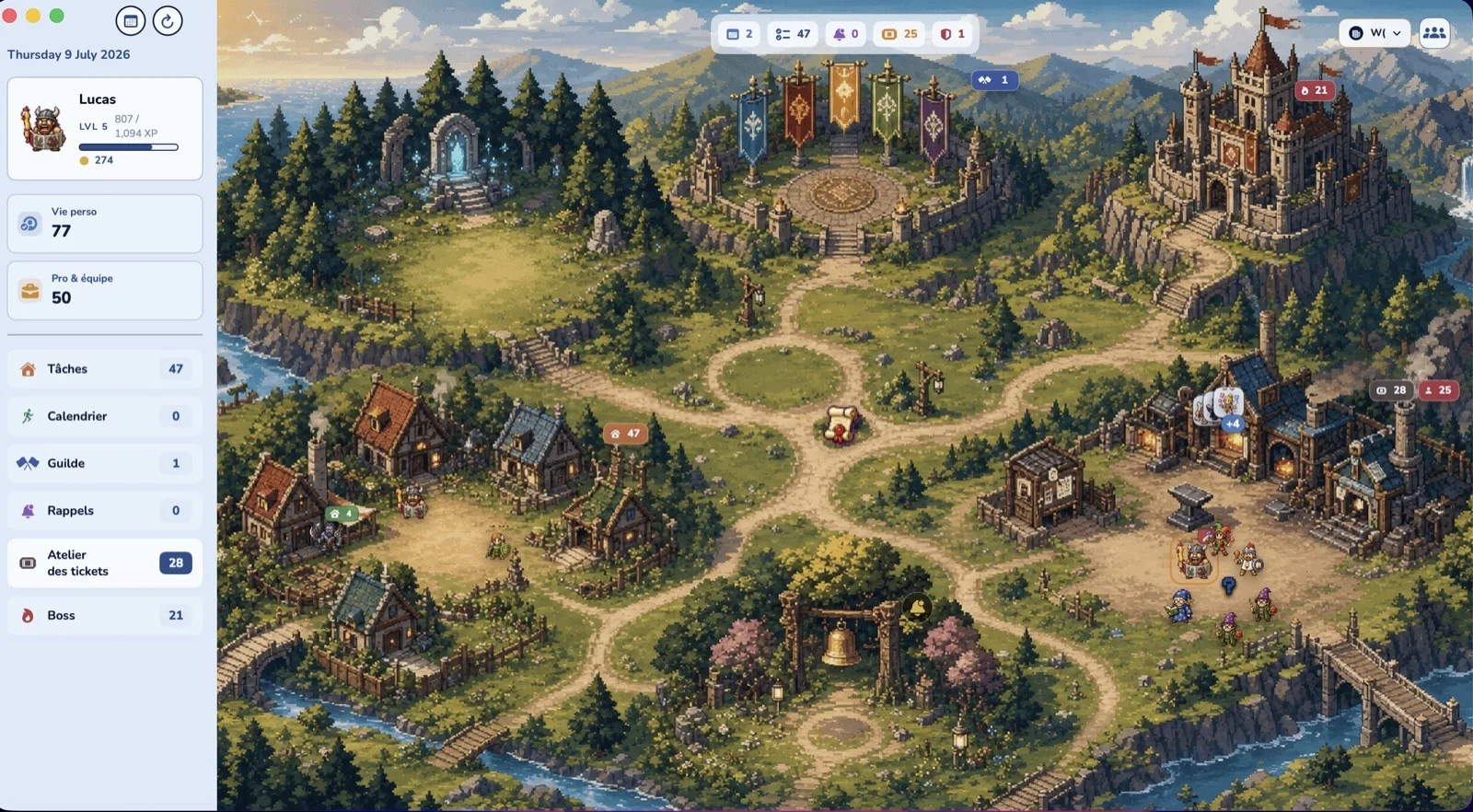
A classic dashboard shows you lists. The Kingdom shows you a place. Your 47 tasks live in the village houses, your 28 tickets smolder in the workshop, your boss prowls near the castle. One glance is enough to know where your week needs you — and clicking a building opens the real tool.
Every building is a real tool
The Kingdom isn't wallpaper: it's your hub. Badges on the buildings count what's waiting for you, exactly like available quests in an RPG.
Your personal and family tasks. The badge shows what's still left to do at home.
Your groceries and pending purchases, laid out on the village stall.
Your work (tickets, issues, professional tasks) forged in the workshop, anvil included.
Your reminders and notes pinned at the center of the village, impossible to miss.
Your progress: level, gold, achievements — and the boss of the week prowling nearby.
Your guild: your companions' banners fly at the top of the kingdom.
The living week: seven pedestals, seven days
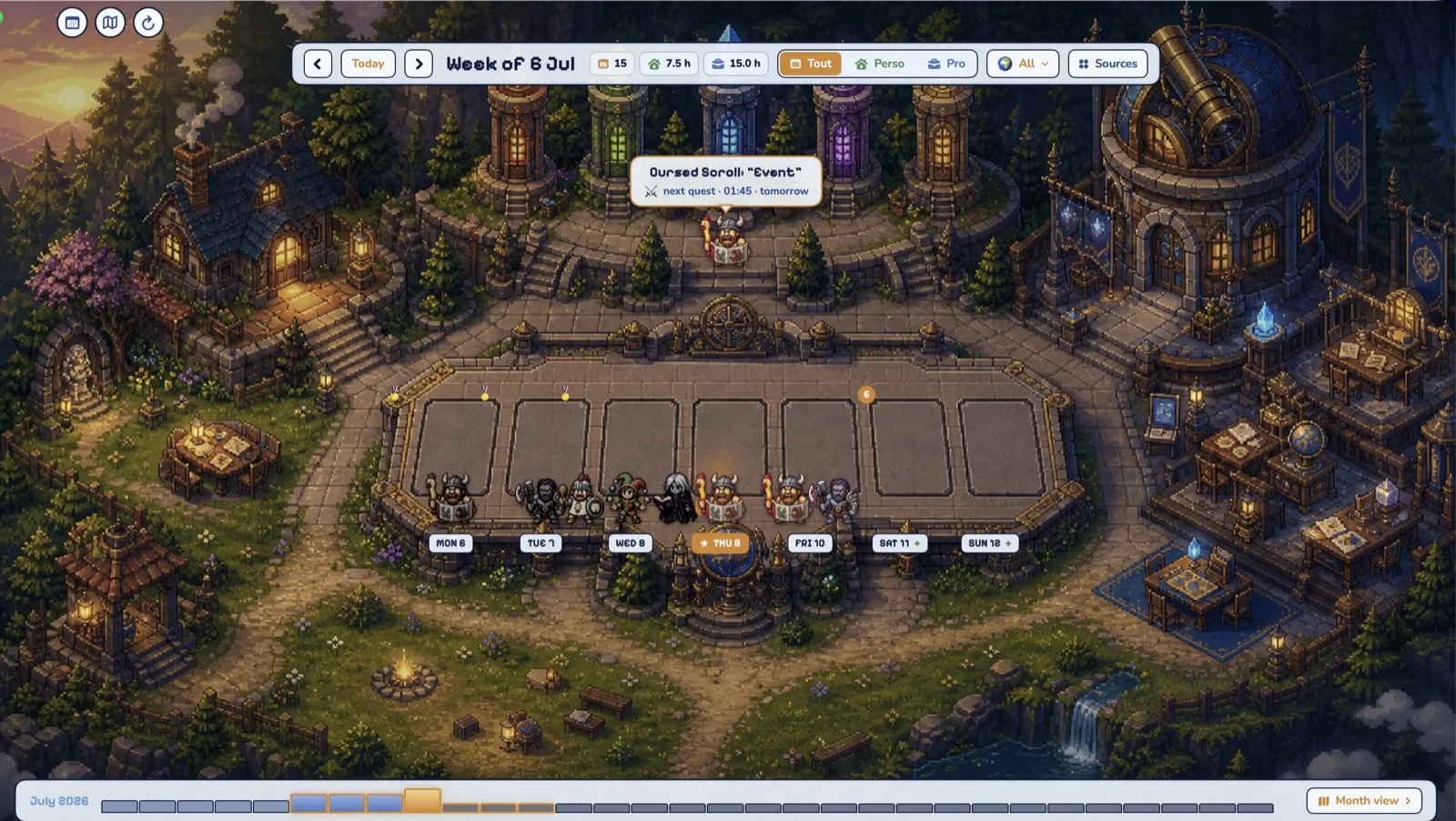
Switch to the week plaza: each day is a stone pedestal, and the people from your events become villagers standing on them. Your hero stands on today; medals mark the days you've closed out; the cursed scroll announces your next quest. The Personal / Work filters and the source picker stay within reach — it's a real calendar, not a postcard.
Zoom in: the village breathes
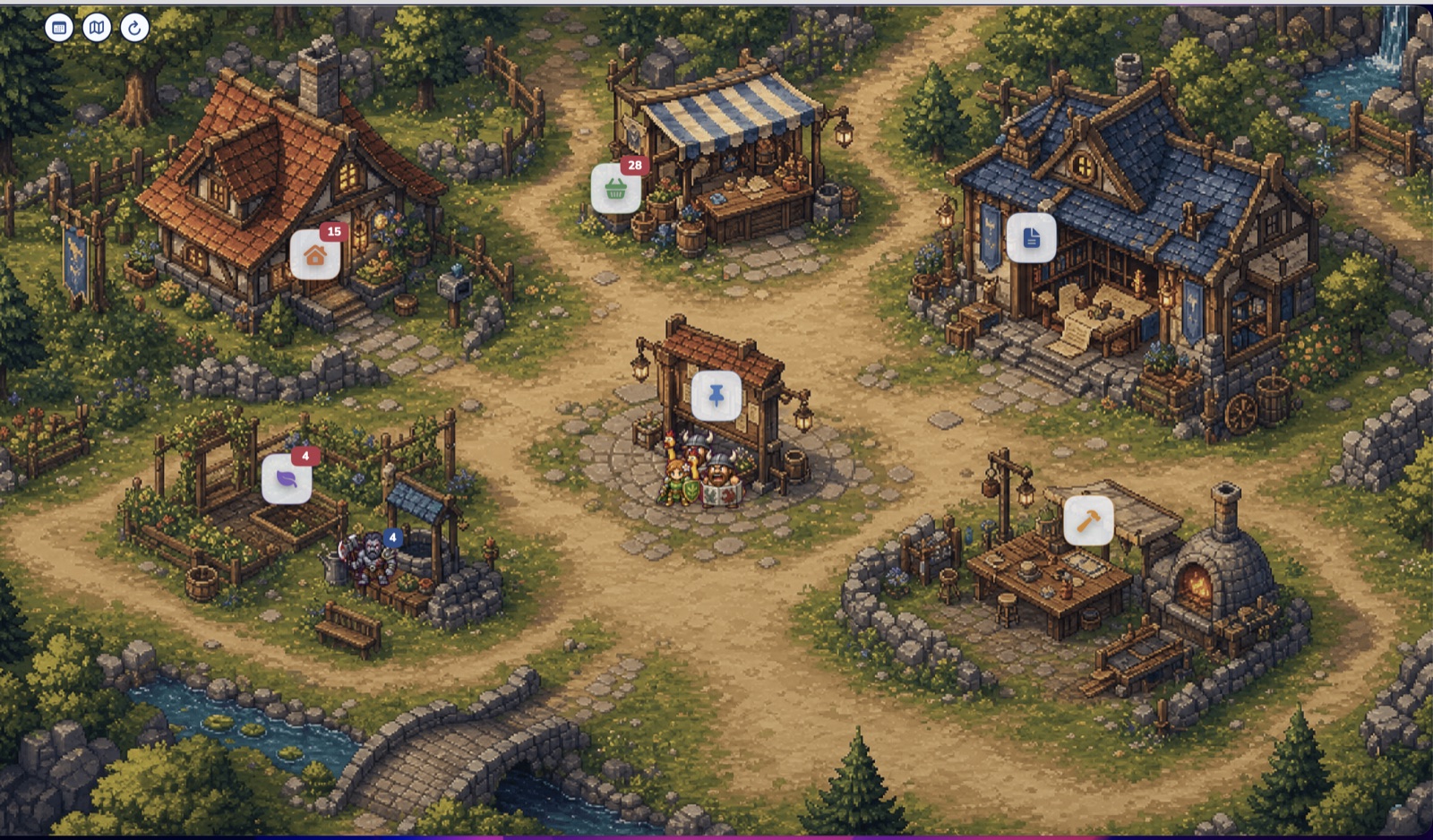
Get closer and the kingdom fills with detail: the well, the stone bridge, the smoking forge, villagers chatting at the notice board. Every floating icon is clickable and opens the matching list. It's the same information as your sidebar — but you actually want to look at it.
Why a map instead of a list?
- Your brain loves places. You remember "the workshop is overflowing" far better than "28 items in the work category".
- Your load becomes readable at a glance. A quiet village = a quiet week. Red badges everywhere = siege day.
- Zero friction. The Kingdom replaces nothing: the Day, Week, Month, and Agenda views stay one click away. It's the same app, seen from the sky.
Visit your kingdom tonight
The Kingdom view is included in Daybard for Mac. Free, offline, no account.